English
  日本語
日本語  العربية
  Deutsch
  Español
  Français
  한국어
한국어  Português
  Татар теле
  Русский
 A built-in TV wall can look calm in a rendering and still feel wrong after installation. The screen may sit too high, the floating cabinet may look too short, the side panels may feel heavy, or the sockets may force cables into places the design never expected. That is why built in TV wall cabinet planning should start with the TV itself, not with the wall panel finish.
The TV size, mounting method and viewing position decide more than the screen opening. They influence the cabinet line below the TV, the width of the slatted or flat wall panels, the storage volume, the cable routes and even the section drawings a manufacturer needs before production. If those decisions are made separately, the finished wall may look clean from a distance but feel poorly balanced in daily use.
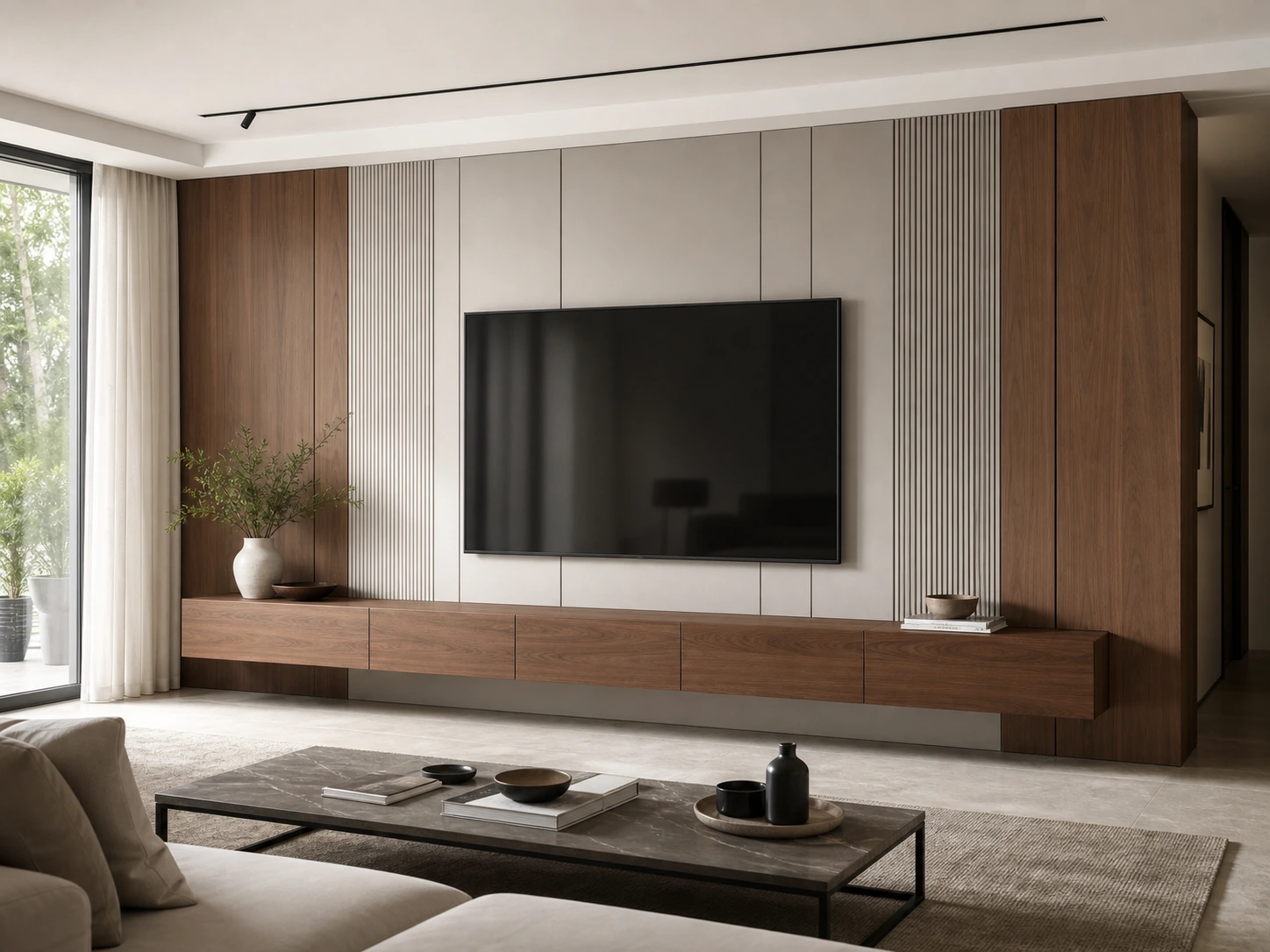
Start With the TV Model, Not the Wall Panel
The first planning question is not whether the wall should use walnut slats, stone-look panels or a plain painted background. The first question is: what TV will be installed, how will it be mounted, and where will people sit when watching it?
A TV wall cabinet is usually drawn as one visual composition, but the TV is the fixed object that controls the rest of the composition. Once the screen size changes, the relationship between the lower floating cabinet, the wall panel zones and the surrounding storage can change as well. A wider TV may need a longer low cabinet to avoid looking top-heavy. A smaller TV may need stronger side panels or open display areas so the wall does not feel empty.
Confirm the screen size, mounting type and viewing distance
Before cabinet proportions are finalized, confirm the actual TV model or at least the expected screen range. Different TVs can have different mounting positions, cable exits and bracket requirements. A recessed or flush-looking TV wall also needs enough planning space for the bracket, cable bend, power connection and service access.
The viewing distance from the sofa, the wall width and the room layout should be reviewed together. The goal is not to force one universal rule onto every project. The goal is to make sure the screen feels comfortable in the room and that the surrounding cabinetry supports that choice.
Use viewing height as the first proportion reference
Viewing height affects the whole wall. If the TV is pushed too high because the floating storage was designed first, the wall may look elegant but feel uncomfortable. If the screen is set too low without checking cabinet height, the lower storage may become visually compressed or hard to use.
For a custom TV wall, the front elevation drawing should show the screen center, lower cabinet height, panel lines and any open shelves or side storage in one view. This helps the homeowner, designer and manufacturer discuss proportion before the wall is produced.
Let the Screen Set the Width of Floating Storage
Floating storage is often the feature that gives a built-in TV wall its clean look. It hides remotes, media devices, game controllers and small living-room items without making the wall feel heavy. But floating storage only works visually when its width, height and depth respond to the screen above it.
If the cabinet is much narrower than the TV, the screen may appear unsupported. If the cabinet is too wide for the wall, the TV can look small and disconnected. The best proportion usually comes from checking the screen width, wall width, floor line, seating position and storage needs in the same elevation drawing.
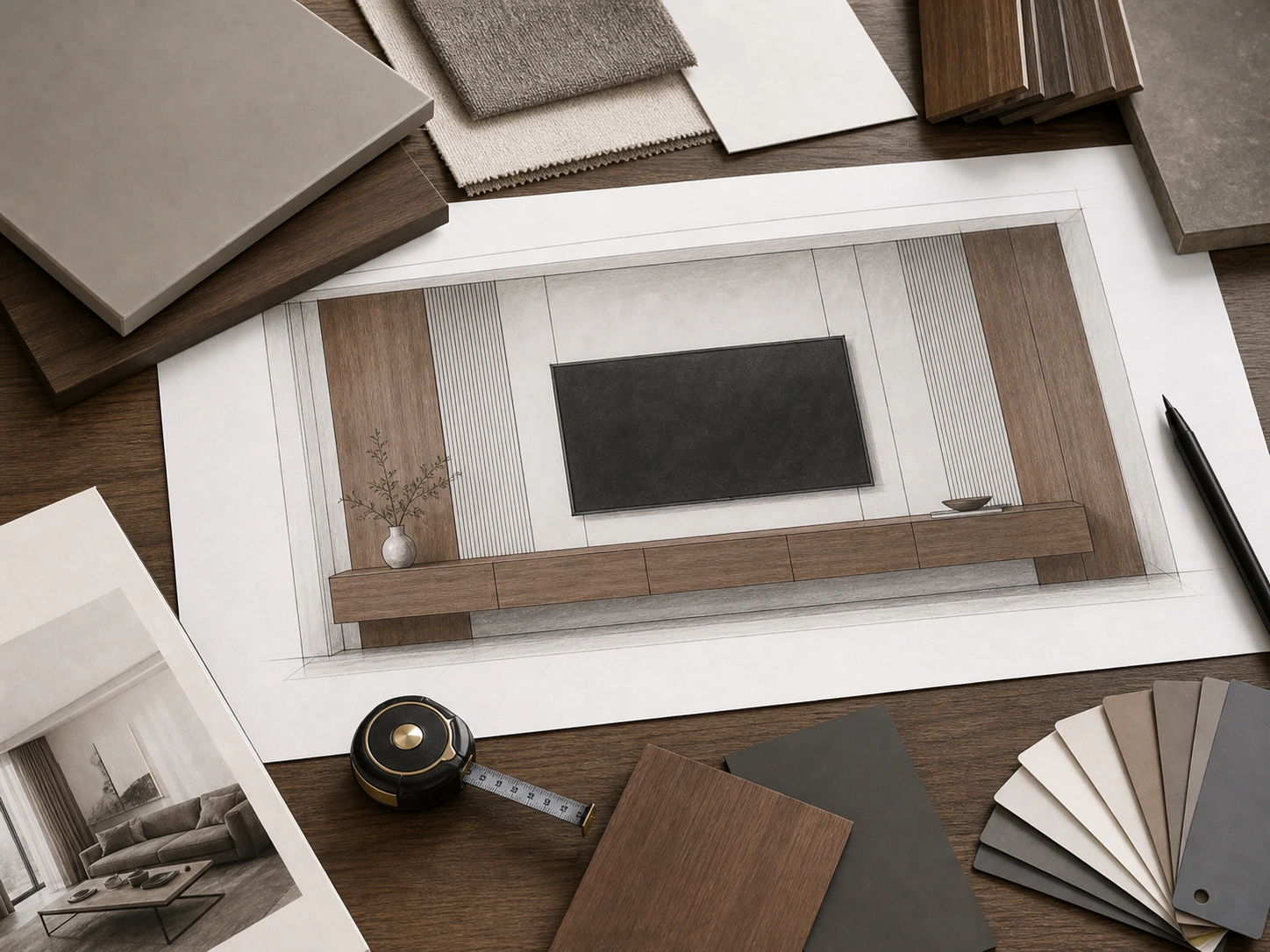
Why cabinet length should respond to screen width
Cabinet length is not only a storage decision. It is a visual balance decision. A floating cabinet can align with the TV width, extend beyond the screen to create a stronger horizontal line, or connect to side panels and vertical storage. Each option creates a different feeling.
For a compact living room, a floating cabinet that slightly extends beyond the screen can make the wall feel wider without adding bulky side storage. For a larger villa living room, longer storage may help the TV zone sit confidently within a broad wall. The right choice depends on wall dimensions, not on a fixed formula.
How storage height changes the visual weight of the wall
The height of the floating cabinet also changes the wall’s balance. A very thin cabinet can look refined, but it may not hold media devices or larger accessories. A taller cabinet gives more storage, but it can make the TV wall feel heavier if the screen is already large.
This is where built in TV wall cabinet planning becomes practical. Decide what the cabinet must store before locking the visual line. Media boxes, routers and game consoles may need different depth, ventilation and access than simple remote-control storage. A beautiful cabinet line is only useful if it still works after devices are placed inside.
Plan Wall Panel Rhythm Around the TV Zone
Wall panels create the background rhythm of a built-in TV wall. They can make the screen feel integrated, hide access panels and connect floating storage with the rest of the room. But the panel layout should follow the TV zone, not compete with it.
Slatted panels, flat panels and stone-look panels all have different visual weight. Slatted panels add vertical texture and warmth. Flat panels feel quieter and can make access doors less visible. A stone-look panel can create a central feature, but it needs careful coordination with TV mounting and cable access.
Slatted panels, flat panels and side zones
Panel rhythm should be checked in relation to the screen width. If vertical slats are placed too close to the TV edge, the wall can feel crowded. If side panels are too wide, the TV may look smaller than intended. If the panels ignore socket and cable positions, the installer may need visible adjustments on site.
For a calm high-end look, the TV, lower cabinet and panel seams should feel intentional. This does not mean every line must align perfectly, but the main visual breaks should be planned before production.
Where walnut slats and floating storage can fit
In a project where warm materials are desired, a walnut slatted TV wall cabinet with floating storage can be a useful reference. It works best when the slatted zones support the screen proportion and when the floating cabinet has already been coordinated with wall fixing, cable access and device storage.
The product idea should not control every section of the article or every project decision. It should appear as a related example when the discussion turns to slatted panels, walnut finish and floating storage. The technical layout still comes first.
Keep Wiring and Sockets Inside the Proportion Plan
A TV wall can lose its clean appearance if wiring is treated as an afterthought. Power, HDMI, network cables, speaker cables and LED wiring all need planned routes. The challenge is that these technical points must be hidden without blocking future access.
The socket position should be checked against the TV bracket, floating cabinet, wall panels and any device storage. If the socket is too high, it may interfere with the screen or bracket. If it is too low, cables may have to run visibly into the cabinet. If it is hidden too deeply, maintenance becomes difficult.
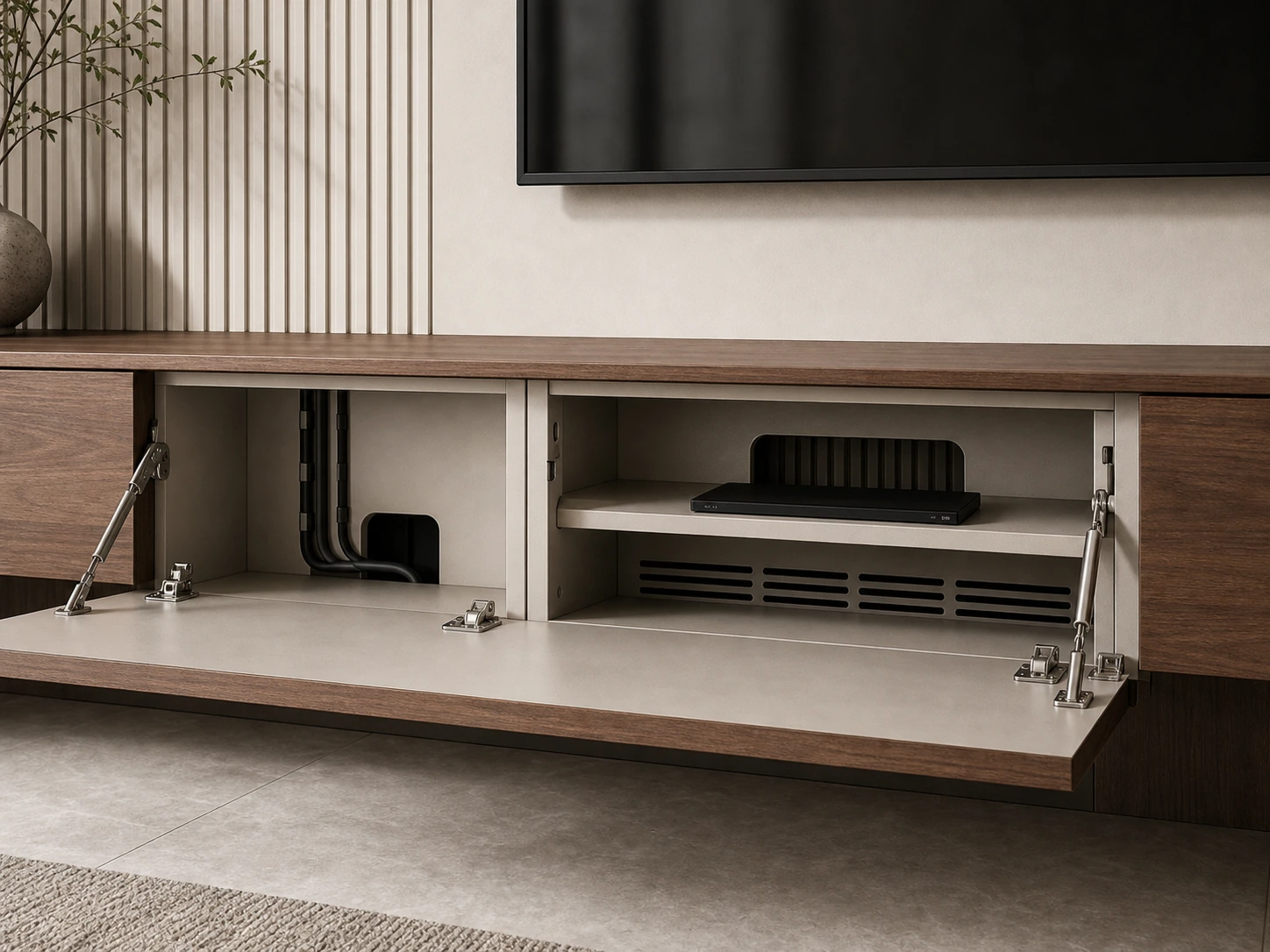
Power, HDMI, network and speaker cable routes
Different devices may need different routes. A smart TV may still need power, network and HDMI access. A soundbar, speaker system, game console or media player may require separate cable paths. Even when the final room looks minimal, the planning behind the wall is not minimal.
Before production, the cabinet supplier should receive a clear note showing where cables enter and exit, where devices will sit, and where access remains possible. This does not replace local electrical work, but it helps the cabinetry and wall panel design avoid conflicts.
Access points that should not break the finished wall
Access points are easier to plan than to add later. Removable panels, back openings, cable channels and service gaps can be integrated into the cabinet or panel layout. If they are added after installation begins, they may interrupt the panel rhythm or reduce the clean built-in effect.
Good planning keeps access discreet. It allows the wall to look finished while still giving the homeowner a way to change a cable, reset a router or replace a device when needed.
Match Device Storage With Ventilation and Maintenance
Media storage is not the same as general living-room storage. Routers, media players, game consoles and amplifiers can create heat. Some devices need signal clearance. Others need frequent access. If they are placed in a closed cabinet without ventilation or cable space, the clean look may create a daily-use problem.
Media boxes, routers and game consoles need air
Ventilation does not always need to be visually obvious, but it needs to be planned. Cabinet backs, side gaps, shelf openings or discreet ventilation paths may be required depending on the device layout. The final design should avoid trapping heat inside a sealed compartment.
This is also a reason to confirm device locations early. A floating cabinet used only for remotes can be shallower and cleaner. A cabinet used for electronics may need more depth, back openings and planned airflow.
Back openings, removable panels and future changes
Many living rooms change over time. A homeowner may replace the TV, add a new console, change the router or upgrade a sound system. Built-in cabinetry should not make every future change difficult.
When reviewing the design, ask what must remain accessible after installation. The answer may affect cabinet carcass depth, shelf openings, panel seams and the position of removable covers. These details are small in the drawing stage but important after the wall is finished.
Check Drawings Before Production
Once the proportions feel right, the design still needs to become buildable. A reference image or 3D rendering is not enough for production. A built-in TV wall cabinet should be checked through drawings that show the front view, section depth, wall conditions, cable access and fixing points.
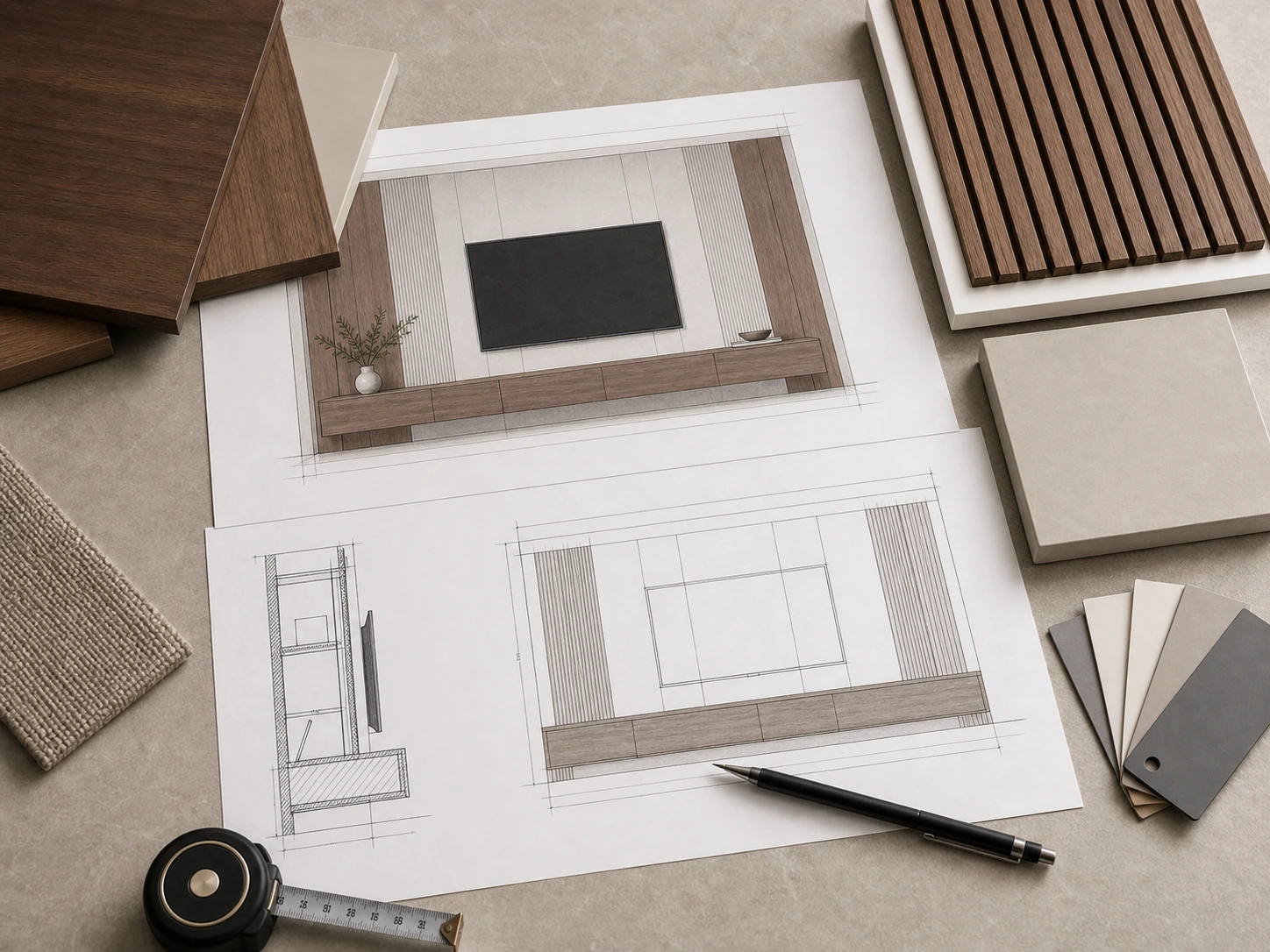
Front elevation and section drawings
The front elevation should show the TV size, screen position, lower cabinet line, panel divisions, open shelves if any, and visible seams. The section drawing should show depth, wall panel build-up, cabinet carcass, back openings and the relationship between the TV bracket and wall structure.
For overseas projects, these drawings help reduce misunderstanding between homeowner, designer, contractor and manufacturer. They also make it easier to check whether the TV wall matches site dimensions before production begins.
Wall fixing, floating cabinet support and site notes
Floating storage depends on wall conditions. The design team should confirm wall material, fixing points, cabinet weight considerations and installation responsibility before production. If the wall needs reinforcement or a specific fixing method, that should be addressed before the cabinet is made.
Site notes are also useful: finished floor level, skirting condition, nearby outlets, cable entry points, wall flatness and any existing MEP restrictions. These details help the final TV wall look intentional instead of adjusted in a hurry during installation.
Frequently Asked Questions
What should be planned first for a built-in TV wall?
Start with the TV model or expected screen size, viewing height, sofa distance, wall dimensions and socket/cable positions. These decisions shape the floating cabinet, wall panels, storage and drawings.
How does TV size affect cabinet proportions?
TV size affects the width and height relationship between the screen, floating storage and wall panels. A larger screen may need a stronger horizontal storage line, while a smaller screen may need side panels or storage zones to balance the wall.
How do I hide TV cables in a built-in cabinet?
Plan power, HDMI, network and speaker cable routes before production. Use planned cable channels, back openings and discreet access points instead of sealing every cable behind fixed panels.
Do media cabinets need ventilation?
Yes, if they contain routers, media players, game consoles or other electronics. Ventilation gaps, back openings or planned airflow paths can help avoid trapping heat inside closed storage.
What drawings are needed before production?
At minimum, review the front elevation, section drawing, socket/cable plan, cabinet fixing details and site notes. These drawings help align design intent with production and installation.
A Built-In TV Wall Should Look Balanced Because It Was Planned That Way
A balanced TV wall is not only the result of a nice panel finish. It comes from a clear planning order: confirm the TV, set the viewing height, balance the floating storage, organize the wall panels, protect cable access, ventilate media devices and review the drawings before production.
For a custom project, share the TV model, wall dimensions, preferred storage needs, socket positions and site photos before finalizing the cabinet design. Sunrise Furnishing can then discuss how walnut slatted panels, floating storage and other custom details may fit into a buildable TV wall plan.