 English
  日本語
日本語  العربية
  Deutsch
  Español
  Français
  한국어
한국어  Português
  Татар теле
  Русский
 TV console cable management cabinet planning often starts with a simple wish: make the TV area look clean. But once the router, set-top box, game console, speakers, HDMI cables and power strip are added, the front of the cabinet is no longer just a style decision. A drawer may look calm but block cables. A closed door may hide the device but trap heat. An open niche may work well for signal and airflow, but it changes the visual rhythm of a low console.
For a low profile TV console, the choice between drawers, flap doors and open niches should come before the final drawing is approved. The right mix depends on which devices need daily access, which items only need storage, where the outlets are, how cables will bend, and how the cabinet can still be serviced after installation.
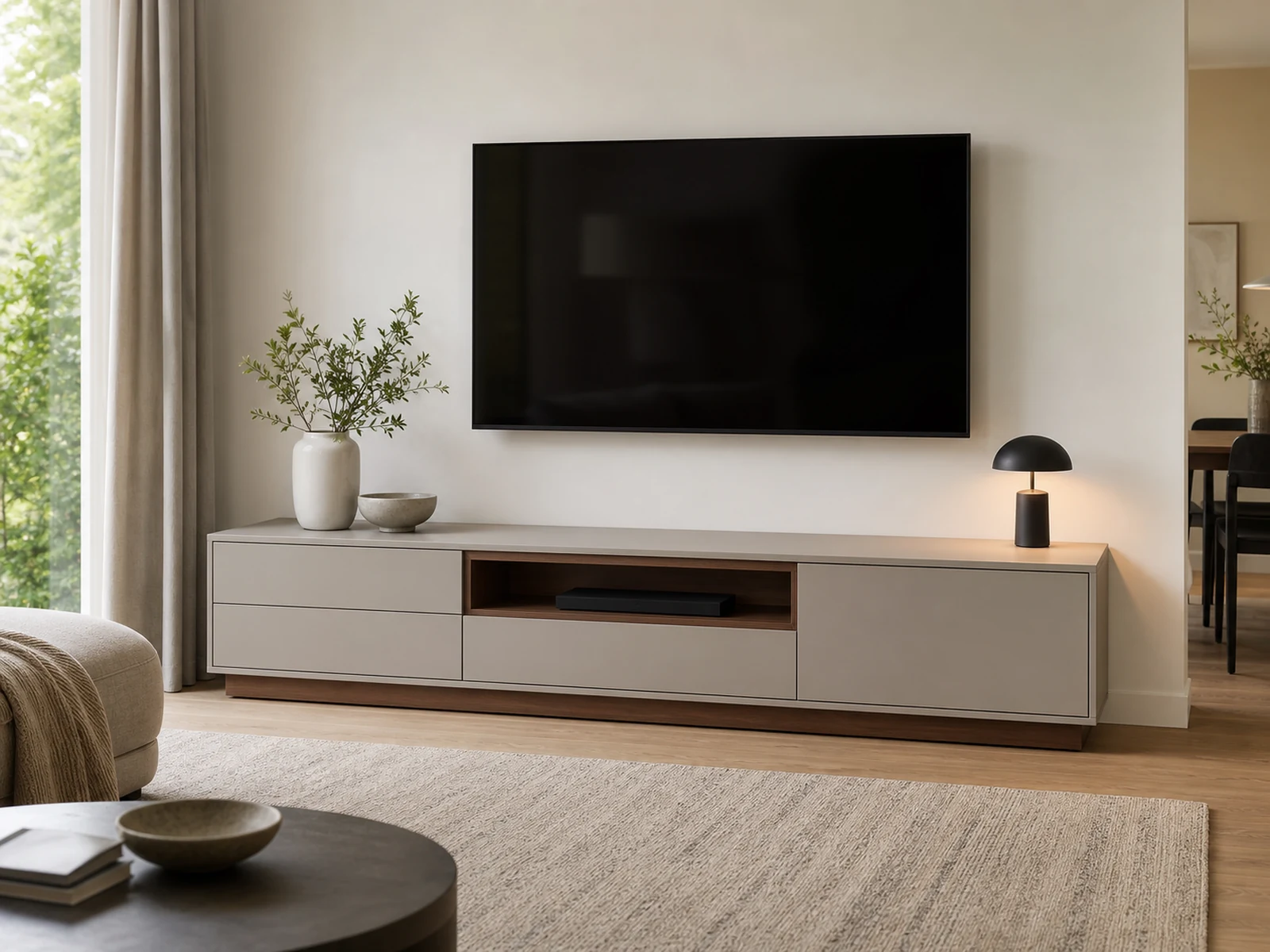
Why Front Type Matters in TV Console Cable Management Cabinet Planning
In ordinary furniture planning, the front type may be treated as a style choice. In TV console cable management cabinet planning, it becomes a working decision. The front determines how a person reaches devices, how cables leave the compartment, how much air can move around electronics, and whether the back of the cabinet remains usable.
A low console leaves less margin for mistakes because the cabinet height and depth are limited. If the drawer box is too shallow for cables, the wire may press against the back. If a flap door opens in the wrong direction, a device may be difficult to connect. If an open niche is too narrow, a game console may fit visually but run warm in use. If everything is closed, the cabinet can look neat while making routers, power strips and media players harder to reset or replace.
The best front type is not the same for every zone. One low profile console may need drawers for remotes, a flap-door section for wider media devices, an open niche for equipment that needs signal or airflow, and a closed compartment for items that do not generate heat.
Use Drawers for Remotes, Controllers and Small Accessories
Drawers are useful in a TV console because they make small items easy to organize. Remotes, batteries, controllers, charging cables, manuals, cleaning cloths and spare adapters are often better stored in drawers than behind deep cabinet doors. A shallow drawer also keeps the low console looking quiet from the front.
The caution is that a drawer is not usually the best place for active electronics. Routers, set-top boxes, game consoles and amplifiers may need cable exits, ventilation and reset access. A drawer box moves every time it opens, so cables can be bent, pulled or pinched unless the drawer is specially planned for that purpose. Heat can also build up if a device is running inside a closed drawer with no airflow.
If a drawer must support charging or small electronics, confirm the cable exit direction, the drawer back detail, the power source and whether the drawer can stay partly open during use. For most projects, drawers are better used for accessories while active devices sit in a flap-door compartment, open niche or ventilated closed section.
Choose Flap Doors When Wider Devices Need Occasional Access
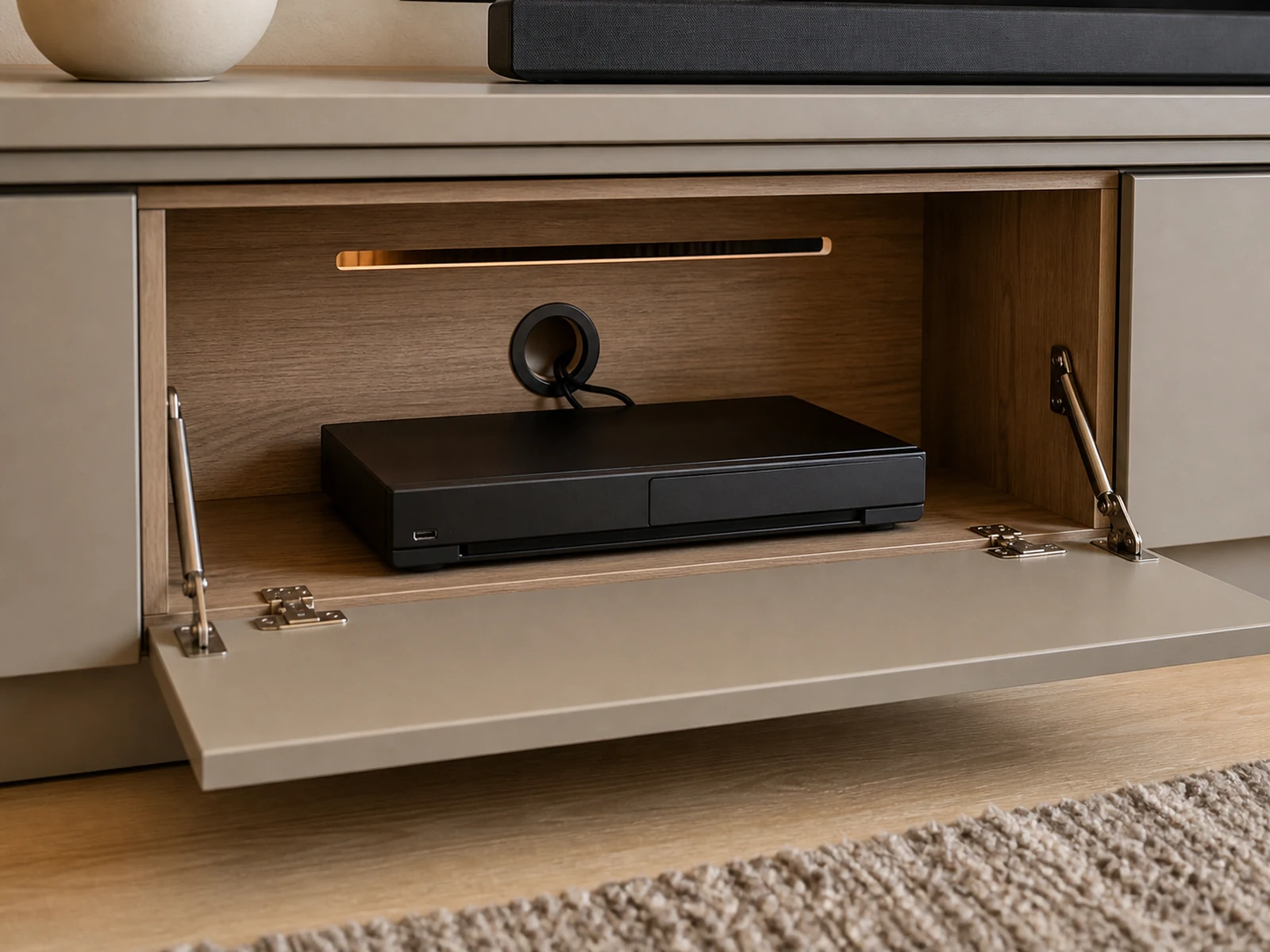
Flap doors can work well in a low TV console because they give a wide horizontal opening while keeping the front visually clean when closed. A set-top box, media player or wider game console can be placed behind a flap door if the compartment is deep enough and the back is planned for cable exits.
The advantage is access. When the flap door opens, the user can reach the device, connect a cable, reset equipment or clean the shelf. Compared with a narrow hinged door, a flap door can suit the long proportions of a low console and reduce the number of vertical breaks across the front.
The details matter. The hardware should be chosen for the door weight and opening direction. The open door should not block the floor, nearby drawers or a speaker. Cables need space to bend behind the device without being crushed. Ventilation should be considered if the equipment stays on for long periods. In custom cabinetry drawings, the flap-door zone should show the device depth, shelf position, rear panel opening and any ventilation slot or shadow gap.
Keep Open Niches for Devices That Need Air, Signal or Daily Use
Open niches are often the most honest choice for devices that dislike being sealed away. A router may need better signal and reset access. A game console may need airflow. A speaker, soundbar module or frequently used streaming device may need to remain visible or reachable. In these situations, an open niche can be more practical than forcing everything behind a clean door.
The concern is visual clutter. An open niche can make the console look busy if it becomes a shelf for every cable and accessory. The solution is to make the niche intentional. Keep it aligned with the cabinet rhythm, use a contrasting but calm material inside the niche, plan a rear cable hole, and limit what belongs there. A smoked oak niche, matte black interior or shadowed open shelf can hold one or two working devices without making the whole cabinet feel messy.
Open niches also help a low console feel lighter. Instead of one long block of drawers or doors, a small open zone can break the front and create a functional media bay. It should still be sized around the actual equipment, not guessed from a product photo. Device width, height, cable direction and remote-control use should all be checked before production.
Closed Compartments Need Rear Access and Ventilation
Closed compartments are useful when the goal is to hide power strips, extra cables, manuals and occasional accessories. They are also good for creating a calm front elevation. But closed storage becomes a problem when active devices are placed inside without rear access or ventilation.
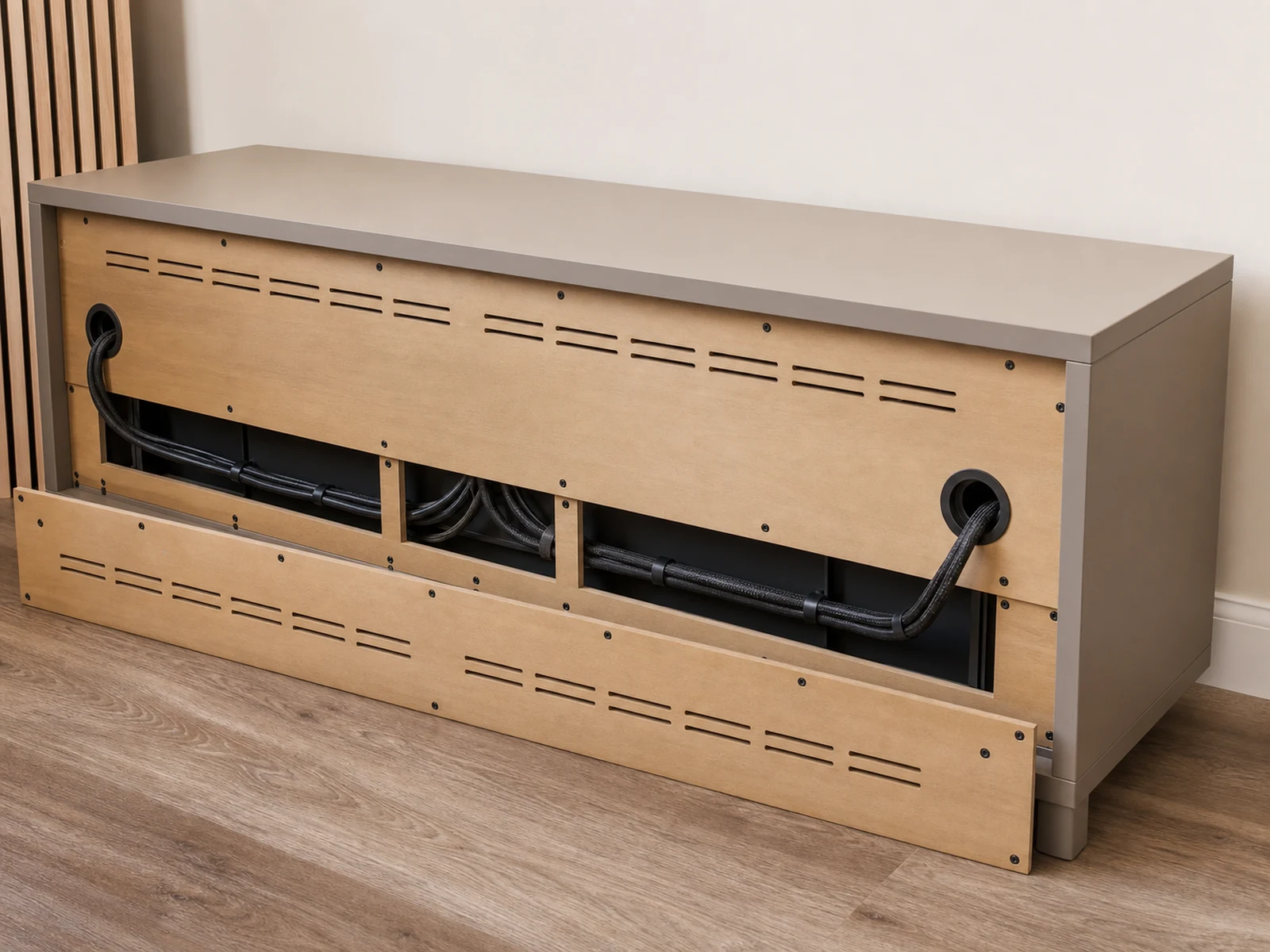
Rear access should be planned before the cabinet is made. Cable grommets, notched rear panels, removable back panels, larger service gaps or open backs may be considered depending on the wall outlet position and device list. A small service loop behind the device can make future cable changes easier, but too much loose cable creates clutter and may block airflow.
Power strips need particular care. They should not be buried where the user cannot reach the switch, plug or reset button. Regional electrical requirements and outlet work should be handled by qualified local professionals. The cabinet can support access and cable routing, but it should not be described as solving electrical safety by itself.
For readers considering a custom low console, a low profile TV console cabinet with cable management is useful only when the hidden areas are designed around real devices, not just around a clean front.
A Low Profile TV Console Usually Needs a Mixed Front Plan
The safest layout is often mixed. A low TV console may use drawers on one side for remotes and controllers, a flap-door section in the center for wider media equipment, an open niche for signal-sensitive or heat-producing devices, and a closed side compartment for power accessories or less-used items.
This mixed plan supports both appearance and function. The front can still look calm because the open area is limited and the door rhythm is controlled. At the same time, the devices that need airflow, signal or access are not forced into unsuitable compartments.
Common mistake: choosing the same front type across the entire console because it looks symmetrical in a rendering. A full row of drawers may not suit devices. A full row of doors may hide too much and trap heat. A full open shelf may become visually busy. The fix is to zone the cabinet by use.
| Console Zone | Better Front Choice | Why It Works |
|---|---|---|
| Remotes and controllers | Drawer | Easy to sort and reach, with no active heat issue. |
| Set-top box or media player | Flap door or open niche | Wider access and easier cable connection. |
| Router or network gear | Open niche or ventilated section | Better access and airflow, with signal conditions considered. |
| Game console | Open niche or ventilated flap-door section | Allows clearance, cable space and airflow. |
| Power strip and spare cables | Reachable closed compartment | Hides clutter while staying serviceable. |
This is where a custom TV Stand has an advantage over a generic cabinet. The design can be discussed as a set of working zones instead of a fixed furniture shell.
What to Confirm Before Ordering a Cable-Managed TV Console
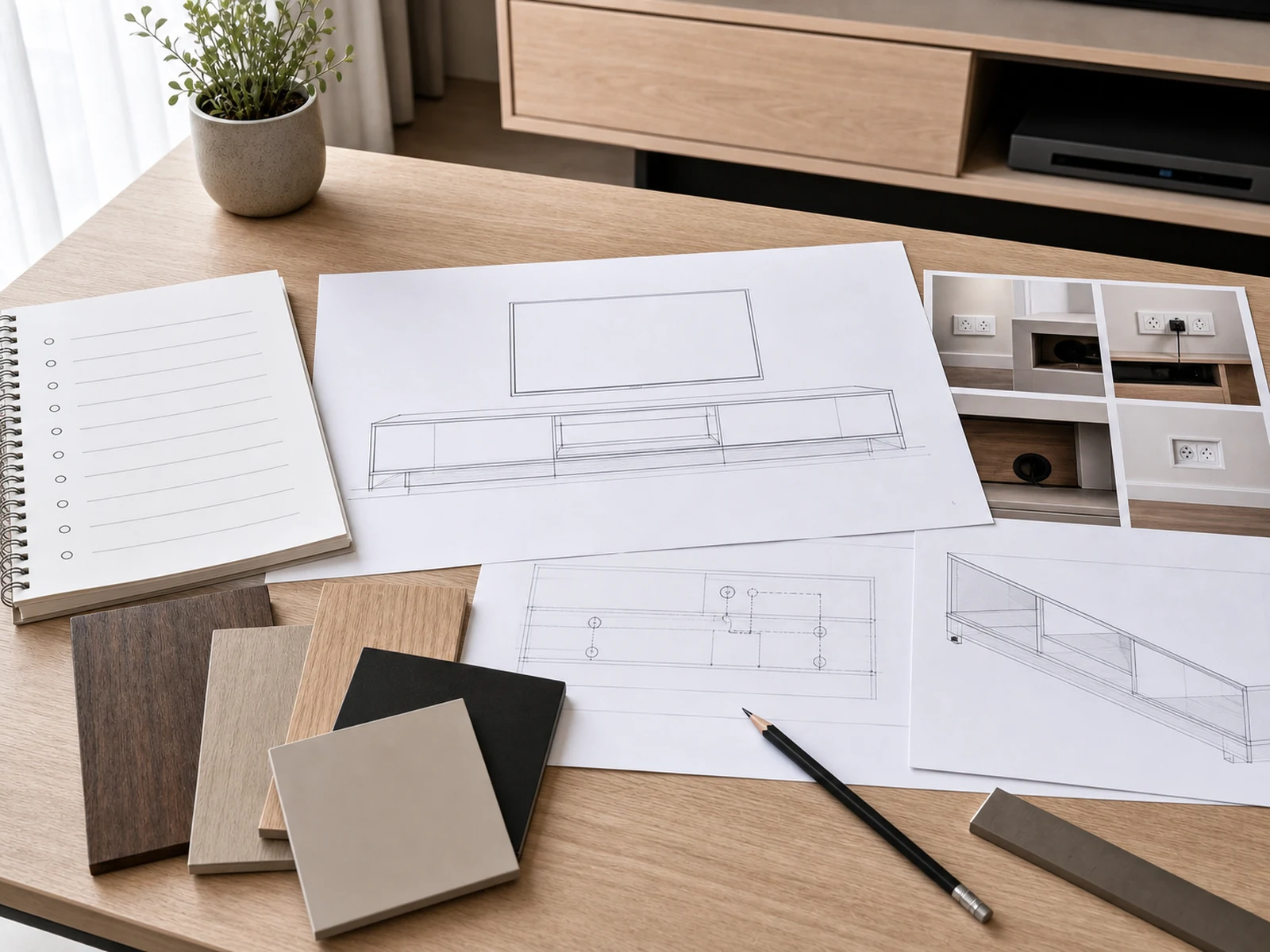
Before ordering a low profile TV console, prepare a simple device and access list. It does not need to be complicated, but it should be specific enough for the cabinet maker or designer to understand how the console will work.
Confirm these details before production drawings are approved:
- TV size, wall width, viewing height and TV bracket position.
- Existing outlet, network and cable entry locations, preferably with photos.
- Router, set-top box, game console, speaker, amplifier or other device dimensions.
- Which devices stay on for long periods and may need ventilation.
- Which devices need signal access, remote-control access or daily use.
- Where power strips will sit and how they can be reached.
- Whether the back panel needs grommets, notches, removable sections or wider openings.
- Which zones use drawers, flap doors, open niches or closed compartments.
- Whether the front-opening hardware conflicts with nearby walls, rugs or other furniture.
- Finish direction, niche material and handle or shadow-pull details.
The goal is not to make the console complicated. The goal is to make the hidden parts clear before the cabinet is produced. Once the wall outlets, devices and front types are agreed, the final cabinet can feel simple from the living room side while still working behind the scenes.
Frequently Asked Questions
Are drawers good for electronics in a TV console?
Drawers are usually better for remotes, controllers, adapters and small accessories than for active electronics. Devices that generate heat or need cable connections should be placed only where cable movement, airflow and access have been planned.
Are flap doors better than hinged doors for media devices?
Flap doors can be useful for wider media devices because they create a broad opening across a low console. They still need suitable hardware, cable bend space, ventilation and enough clearance when the door opens.
Should a router go in an open niche or behind a door?
A router often needs access, airflow and signal consideration, so an open niche or ventilated area may be better than a fully closed compartment. The right choice depends on the router, cabinet material, wall position and network setup. Avoid promising that any cabinet location will improve signal.
How do you hide a power strip without making it hard to reach?
Use a reachable closed section, rear access opening or removable panel. The power strip should not be buried behind fixed panels where plugs, switches or reset buttons cannot be reached. Electrical installation or outlet changes should be handled by qualified local trades.
What should be confirmed in drawings before production?
Confirm the device list, outlet photos, TV bracket position, cable holes, rear panel access, ventilation openings, front-opening method and the internal depth of each device zone. These details help reduce changes after the cabinet is made.
Final Thoughts: Choose the Front by What the Cabinet Must Do
TV console cable management cabinet planning is not only about making wires disappear. It is about choosing the right front type for each working zone of the cabinet. Drawers can calm small accessories. Flap doors can support wider media equipment. Open niches can help devices that need air, signal or daily access. Closed compartments can hide clutter when rear access and ventilation are planned carefully.
For a custom low profile TV console, the strongest drawing is usually the one that looks simple from the room and clear from the back. If you are preparing a custom project, confirm the devices, cable routes, outlet positions, ventilation strategy and front-opening choices before the cabinet is approved for production. Sunrise Furnishing can review these details as part of a custom TV console cabinet brief, so the final layout is planned around real media equipment rather than a clean rendering alone.